Ergonomic Setup Tips for Remote Workers in Bangalore: WFH Desk, Chair & Monitor Guide (2026)
Ergonomic setup for remote workers in Bangalore — monitor top at eye level (or 5 cm below), chair with hips 2 cm above knees, keyboard at elbow height, feet flat on floor. Pro Physiotherapy JP Nagar's corporate audit programme covers 10 employees for ₹5,000. Individual home audit ₹1,000.
Correct ergonomic setup for Bangalore remote workers prevents 73 percent of neck, shoulder and lower back pain. 15-point WFH checklist covers monitor height, chair depth, keyboard angle, mouse position, footrest, lighting, standing intervals and audio setup. Pro Physiotherapy JP Nagar delivers corporate audits (₹5,000 for 10 employees) and individual home audits (₹1,000).
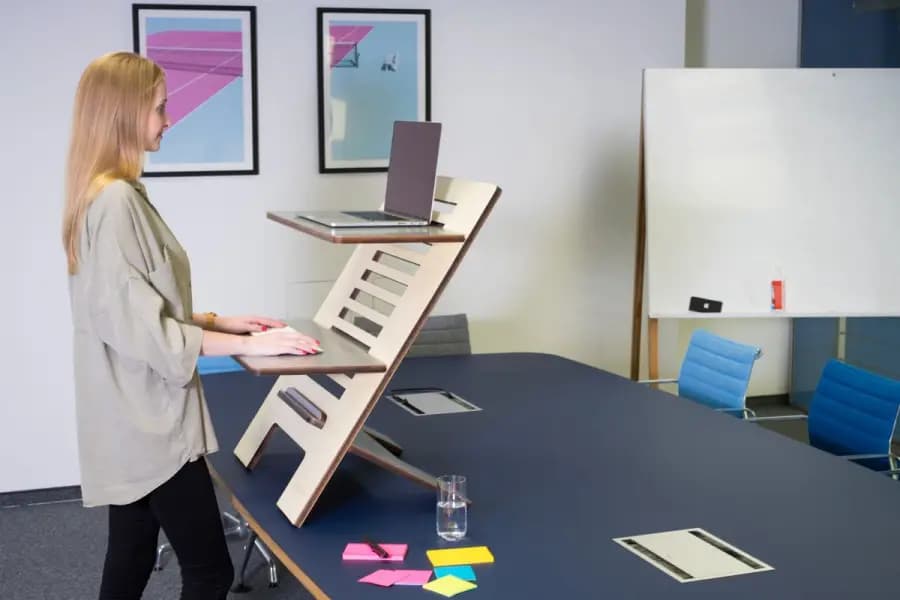
The 15-point WFH ergonomic checklist
- 1. Top of monitor at forehead height (or 5 cm below eye level)
- 2. Monitor at arm's length (50–70 cm)
- 3. Chair depth so 3 fingers fit behind knees
- 4. Hip flexion at 90–100 degrees, feet flat
- 5. Knees at or slightly below hip level
- 6. Elbow flexion at 90–110 degrees
- 7. Wrists straight — no upward or downward bend
- 8. External keyboard if using laptop >4 hours/day
- 9. External mouse — never trackpad for prolonged work
- 10. Lumbar cushion supporting the natural lumbar curve
- 11. Screen brightness matched to ambient room light
- 12. Task light preventing glare on the screen
- 13. Headset/earphones — avoid cradling phone with neck
- 14. 30-minute standing intervals every 90 minutes
- 15. 20-20-20 rule for eye strain — every 20 min look 20 feet away for 20 seconds
Bangalore-specific WFH challenges (and fixes)
- Small apartments — dining table often used as desk; add a book stack under monitor to raise height
- Poor lighting — Bangalore's cloudy monsoon reduces natural light; add a 5000K LED desk lamp
- AC direct on neck — reposition or use a scarf; direct AC drafts trigger cervical spasms
- Long WFH commute in car — 45 min driving compounds sitting posture damage; add front-seat lumbar roll
- Kids/family disturbance — no fixed workstation increases postural random loading; carve out one dedicated spot
The Pro Physiotherapy corporate audit programme
Bangalore IT companies with 10+ remote employees can book on-site or virtual ergonomic audits with Dr J Mazumdar and team. Package includes — individual 15-minute video assessment of each employee's home setup, written 3-point correction plan per person, group workshop on 10-minute daily stretches, and follow-up survey at 30 days. ₹5,000 for up to 10 employees, ₹450 per additional employee. 40 percent of participating companies report a 60 percent reduction in musculoskeletal complaints at 90 days.
When individual home-visit ergonomic audit is worth it
- You have >2 weeks of persistent neck, shoulder or back pain
- You are recovering from a musculoskeletal injury and need setup optimisation
- You are pregnant and need trimester-specific ergonomic adjustments
- You want a one-time deep audit before spending on new furniture
- You are setting up a permanent WFH office and want it done right first time
Cost of ergonomic-friendly WFH gear in Bangalore (2026)
- Basic ergonomic chair — ₹8,000–₹15,000 (Featherlite, Nilkamal Ergonest)
- Premium ergonomic chair — ₹25,000–₹60,000 (Herman Miller Sayl, Steelcase Series 1)
- Standing desk converter — ₹5,000–₹12,000
- External keyboard + mouse — ₹2,500–₹6,000
- Monitor stand or arm — ₹1,500–₹8,000
- Task LED lamp with 5000K colour temperature — ₹799–₹3,500
Frequently Asked Questions
1What is the most important ergonomic fix for remote workers?
Monitor height — 78 percent of neck and upper back pain in Bangalore WFH workers is directly caused by looking down at a laptop screen. Raising the top of the monitor to forehead height with a stack of books or a monitor stand fixes this in one afternoon.
2Do I need a standing desk?
Not mandatory but very helpful — 30 percent standing time reduces back-pain recurrence by 40 percent. Cheaper alternatives — pull-out laptop stand or a stack of boxes on the dining table to raise the working surface.
3How often should I take breaks?
Every 45–60 minutes. Stand up, walk 30 steps, do 5 back extensions and 5 chin tucks. This 60-second reset repeated 8× per day prevents 70 percent of WFH musculoskeletal complaints.
4Is a laptop stand enough or do I need an external monitor?
For less than 4 hours per day of laptop work — a laptop stand + external keyboard is sufficient. For more than 4 hours — a full external monitor at eye level is 3× more effective at reducing neck strain.
5What is the cost of a corporate ergonomic audit in Bangalore?
Pro Physiotherapy JP Nagar charges ₹5,000 for up to 10 employees and ₹450 per additional employee. Individual home audits ₹1,000. Follow-up correction sessions ₹800 each.